
Free Budget Template
A free monthly budget template that does the maths for you. Enter your take-home income and what you plan to spend in each category, add what you actually spent, and see what is left, where you overspent and how your budget compares with the 50/30/20 guideline.
- Free to use
- No sign-up
- Runs in your browser
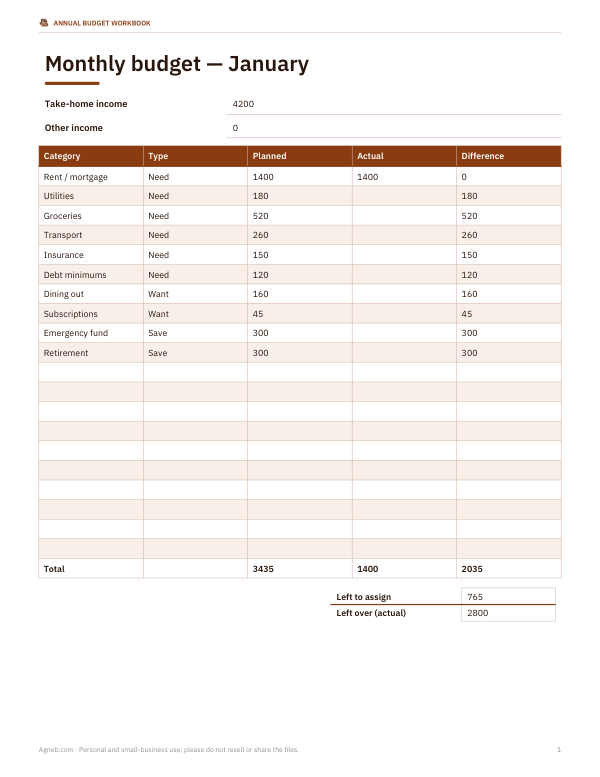
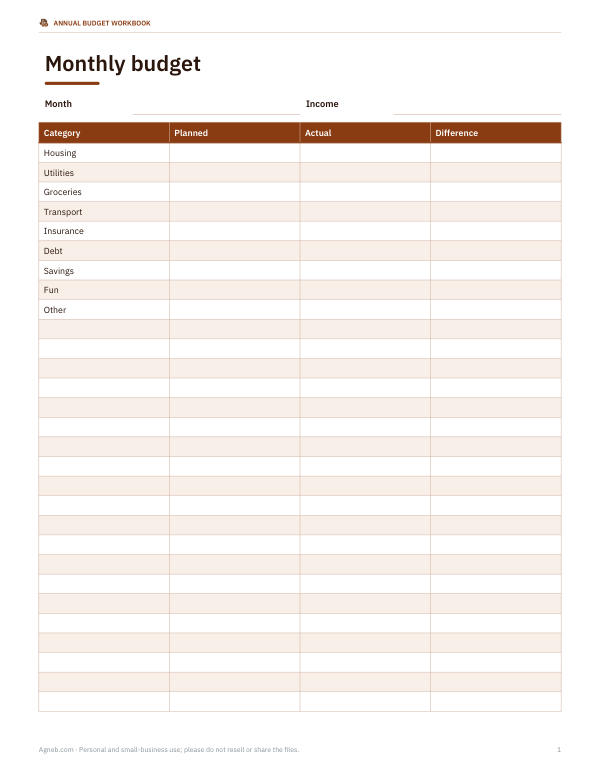
Fill in your budget
| Category | Type | Planned | Actual | Difference |
|---|
Annual Budget Workbook
A 12-month budget workbook with monthly tabs, automatic yearly summary, sinking funds, debt payoff tracker and savings goals.
- 12-month budget workbook (XLSX, PDF)
- Printable budget sheets (PDF, DOCX)
Formats: XLSX, PDF, DOCX. Instant download after payment (link valid 72 hours, up to 5 downloads). AI-assisted: the templates were drafted with AI help and reviewed and laid out before publishing.
$5.00 USD, one-time
- Instant download
- 7-day refund
- Secure checkout by Stripe
7-day money-back guarantee. Full refund within 7 days of purchase, even after you download.
Full refund within 7 days — see the refund policy and license.
Free printables
Single sheets you can print right now, no sign-up. The full pack adds every sheet in one download plus the editable files.
How to use this budget template
- Enter your monthly take-home pay — the amount that actually reaches your bank account after tax and deductions. Add any other regular income separately.
- Go through the categories. Rename, add or delete them so they match your life, and mark each as a need, a want or savings.
- Fill in the planned amount for each category. Start with fixed bills from your statements, then estimate variable spending such as groceries from the last two or three months.
- Check “Left to assign”. If it is positive, give the extra money a job — savings, debt or a sinking fund. If it is negative, trim the plan until it reaches zero or above.
- During or at the end of the month, enter what you actually spent. The difference column shows where you were over (red) or under.
- Print the budget or download the CSV to keep a record and compare months.
The 50/30/20 guideline
The 50/30/20 rule, popularised by US Senator Elizabeth Warren and Amelia Warren Tyagi in their book All Your Worth, suggests dividing after-tax income into roughly 50% for needs, 30% for wants and 20% for savings and extra debt repayment. The template calculates your planned split so you can see how close you are. It is a rule of thumb, not a requirement: in high-cost cities needs often take more than half of income, and people paying down debt aggressively may put far more than 20% towards it. Use the percentages as a conversation starter with yourself rather than a pass or fail.
| Bucket | Guide | Examples |
|---|---|---|
| Needs | ≈50% | Housing, utilities, groceries, transport to work, insurance, minimum debt payments, childcare |
| Wants | ≈30% | Eating out, streaming, hobbies, travel, upgrades beyond the basics |
| Savings & debt | ≈20% | Emergency fund, retirement contributions, extra payments on debt, sinking funds |
Worked example
With $4,200 of take-home pay, the sample budget plans $2,740 for needs (65%), $405 for wants (10%) and $840 for savings and extra debt (20%), leaving $215 unassigned. Needs are above the 50% guide because rent is high, so the plan keeps wants low to protect savings. At month end, groceries came in $55 over and dining out $50 over, while shopping was $35 under; total actual spending was $4,051, leaving $149 left over to move into the emergency fund.
Zero-based budgeting
A zero-based budget gives every dollar of income a job before the month starts, so income minus planned spending and saving equals zero. The “Left to assign” line makes this easy: keep adjusting categories until it reaches zero. Money assigned to savings or a sinking fund still counts as “spent” in the plan, because it has a job. People who like this method often find they overspend less, because each purchase is weighed against a plan rather than a vague balance in the bank.
Sinking funds for irregular bills
Many budgets fail because of expenses that do not arrive every month: car registration, insurance premiums paid annually, holiday gifts, school fees, car repairs, medical costs. A sinking fund spreads them out. Estimate the yearly cost, divide by 12, and add a monthly category for it. $600 of annual car costs becomes $50 a month set aside, so the bill is already covered when it arrives.
Tips for sticking to a budget
- Budget for a realistic amount of fun — plans that are too strict tend to collapse.
- Automate savings on payday so the money leaves before it can be spent.
- Review your budget weekly for five minutes; month-end surprises are harder to fix.
- Round spending estimates up and income down.
- Keep a small “miscellaneous” category for the unexpected.
- Compare actual spending across three months before deciding a category is wrong.
Building an emergency fund
An emergency fund covers unexpected costs without borrowing. Many financial educators suggest starting with a small target — often around $500 to $1,000 — and then building towards three to six months of essential expenses, depending on how stable your income is. Keep it in a separate account you do not use for daily spending. The template lists it as a savings category so contributions show up in your 20%.
Privacy
Everything you type stays in your browser; nothing is uploaded or stored. Download the CSV or print the budget if you want to keep it. For a year of month-by-month tracking with charts, the paid workbook adds annual summaries.
Frequently asked questions
Should I budget with gross or net income?
Use net (take-home) income for a monthly spending budget, because that is the money you actually have to spend.
What counts as a need?
Expenses you must pay to live and work: housing, basic food, utilities, insurance, transport to work and minimum debt payments.
What if my needs are more than 50%?
That is common in high-cost areas. Keep wants lower, look for savings in the largest needs, and still aim to save something regularly.
Is the budget saved?
No. The page does not store your figures. Print it or download the CSV.
How often should I update my budget?
Plan once a month and check actual spending weekly or at least at month end.
Can I use this for irregular income?
Yes. Budget using your lowest typical month, and assign any extra income to savings or sinking funds when it arrives.
What is the difference between a budget and a spending log?
A budget is the plan you make before the month; a spending log records what actually happened. Comparing the two each month is what makes budgeting work.
Should debt payments go under needs or savings?
Minimum payments are needs because you must make them. Any extra payment above the minimum counts with savings in the 50/30/20 split.